Intent-Driven Text Transformation for the Terminal
A terminal-native tool for transforming text by declaring intent, previewing effects, and committing change deliberately.
Text tools have grown faster, more extensible, and more powerful, but their core interaction model has barely changed. Whether you use Vim, Emacs, sed, awk, or less, you are still moving through text, applying operations immediately, and relying on experience and undo when things go wrong.
This model works extremely well for writing and small, local edits. It becomes increasingly fragile as the scope and risk of change grow.
xf exists to address that gap.
xf is a terminal-native text transformation tool for situations where editing stops being a typing problem and becomes a reasoning problem. It replaces cursor motion with explicit selection, immediate mutation with transactional change, and implicit intent with operations that can be inspected before they run.
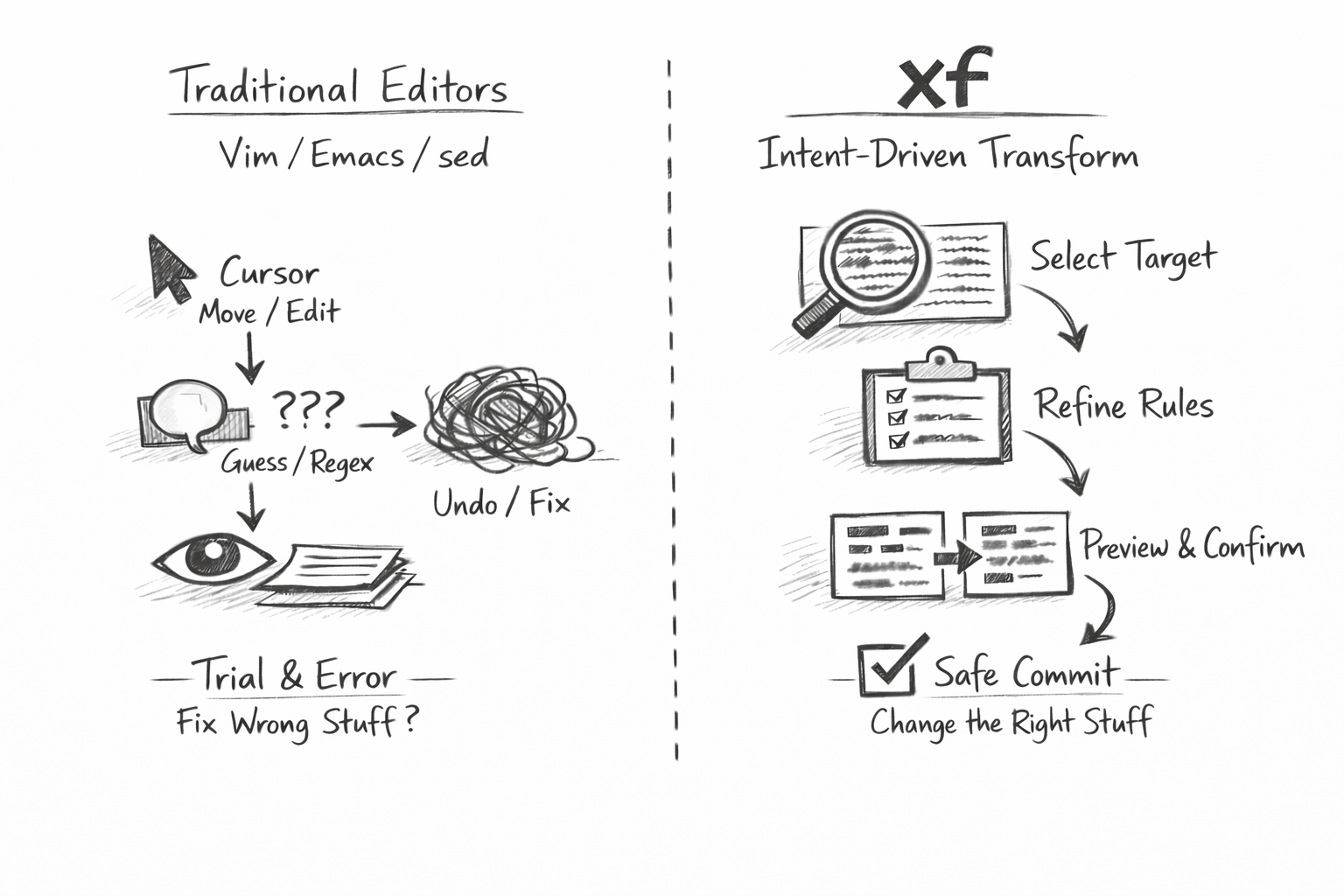
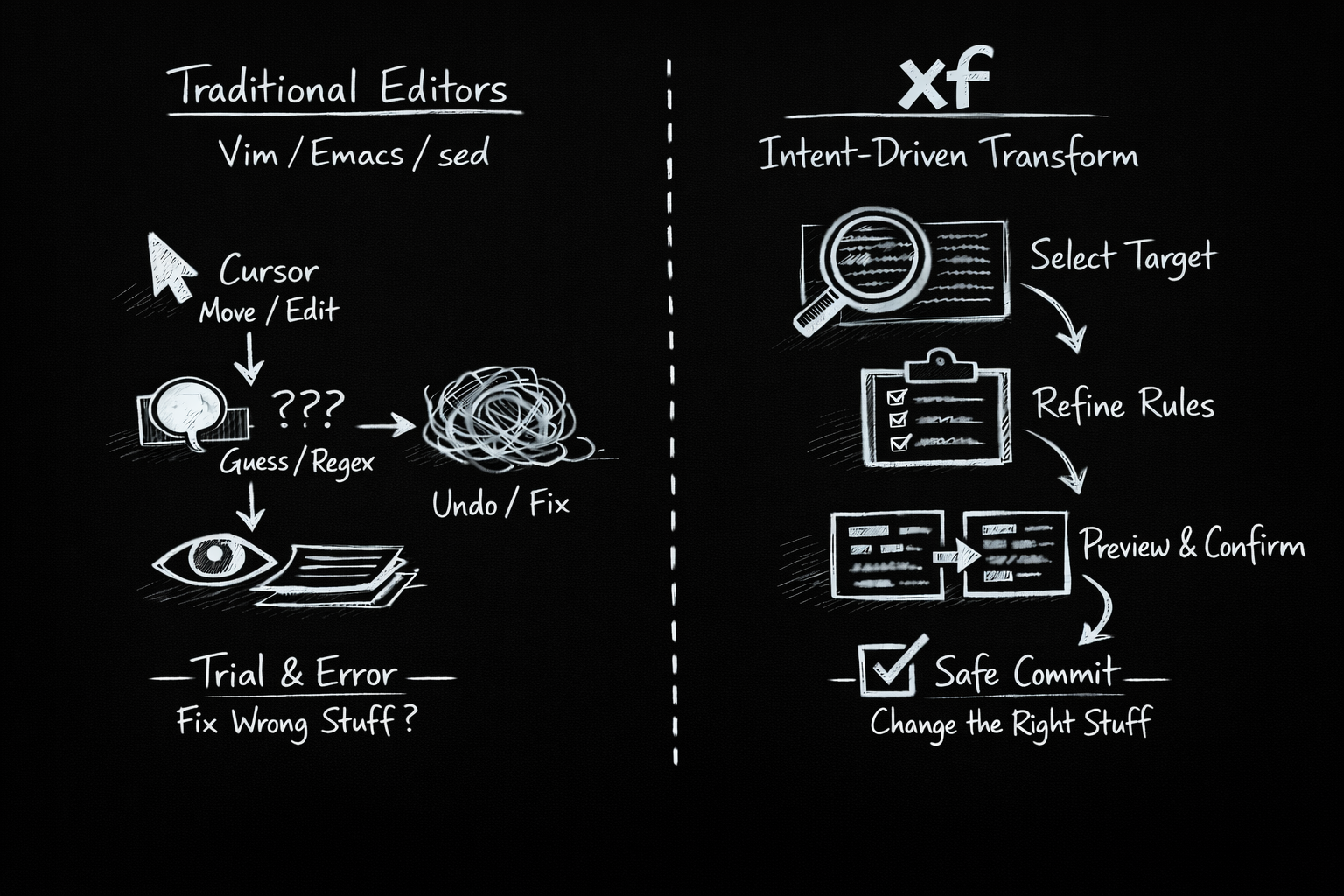
Where Existing Tools Break Down
Vim and Emacs reward mastery with speed and precision, but intent is encoded indirectly. A refactor is not described; it is performed. When something goes wrong, the only artifacts are the final state of the file and a partial memory of how it got there.
sed and awk take the opposite approach. Transformations are explicit and repeatable, but the model assumes a simple, linear pass over text. As conditions multiply or structure matters, they collapse into unreadable one-liners or are abandoned entirely.
less excels at inspection, but it is intentionally passive. It can explore text, not change it.
xf starts from the observation that these tools are not flawed. They are optimized for different moments. What is missing is a tool for deliberate, inspectable change.
How xf Works
xf is built around the idea that large or risky changes should be described before they are applied.
There is no cursor in xf, because position is rarely the point. There is no insert mode, because xf is not for free-form typing. The core unit of interaction is a selection: a set of text regions defined by meaning rather than location.
Users describe what they want to operate on, refine that description to exclude edge cases, propose a transformation, and inspect the result as a diff. Only then is the change committed.
The result is a shift in attention: away from navigation and toward understanding.
Editing Without Immediate Mutation
In traditional editors, changes happen instantly and undo exists to recover from mistakes. This assumes that experimentation is cheaper than caution.
xf inverts that assumption.
In xf, changes are proposals. Every transformation is previewed. The primary output is not modified text, but a readable description of what would change. History becomes a record of decisions rather than keystrokes.
This makes xf well suited to large refactors, migrations, data cleanup, or work in unfamiliar codebases (e.g. any situation where the cost of error is high).
Working Alongside Other Tools
xf is not a replacement for existing editors or text utilities.
Vim and Emacs remain ideal for writing and fine-grained interactive edits. sed and awk remain unmatched for simple, linear transformations. less remains the best tool for inspection.
xf occupies the space between them: transformations that are too complex to trust to a one-pass filter and too risky to perform blindly in an interactive editor.
A typical workflow might involve writing code in Vim, inspecting output with less, performing a large refactor in xf, and returning to Vim for local cleanup. xf intervenes only when the nature of the problem changes.
Making Intent Explicit
In xf, intent is a first-class artifact.
Selections are named and inspectable. Refinements are explicit. Transformations are expressed as commands that can be read, reviewed, and replayed. When something goes wrong, the reason is visible: what was selected, why it was selected, and how it was transformed.
This reduces the cognitive load of large-scale change and makes editing sessions auditable and teachable in a way traditional editor sessions are not.
Terminal-Native by Design
xf is designed to fit naturally into a Unix environment. It runs in the terminal, reads from files or standard input, and produces deterministic output. Its history and configuration are plain text. Its behavior is predictable and scriptable.
This is deliberate. xf borrows the transparency and composability of classic Unix tools while extending them to transformations that require preview, branching logic, and human judgment.
Safety Over Speed
xf is not the fastest way to change a single line of text. It is designed to be a safer way to change many lines of text.
By slowing down commitment and speeding up understanding, xf reduces errors, anxiety, and the need for manual verification. It encourages thinking in terms of sets, structure, and meaning rather than positions and keystrokes.
Who xf Is For
xf is for experienced terminal users who regularly work with large or complex bodies of text. It assumes familiarity with existing tools and builds on that foundation.
It is intentionally opinionated and narrow in scope. xf will not appeal to everyone, and it does not try to.
A Different Kind of Text Tool
xf treats text transformation as a deliberate act. Some changes are too important to improvise and too complex to trust to opaque mechanisms.
When the problem stops being “where do I type” and becomes “what should change,” xf provides a model that makes reasoning visible and mistakes rarer.
If Vim feels like an instrument and sed feels like a blade, xf is a workbench: a place to lay things out, inspect them carefully, and change them with intent.
Roadmap
Intent-Driven Core
Selection-first editing with declarative commands, diff preview, and explicit commit.
Pattern & Structural Selection
Regex, line, paragraph, and indentation-based selections with refinement chaining.
Transactional History
Readable command history with replay, rollback, and deterministic reproduction.
Multi-file & Corpus Editing
Treat directories and file sets as a single editable corpus with atomic commits.
Semantic Heuristics
Language-agnostic detection of functions, comments, blocks, and common code patterns.
Non-interactive Mode
Run xf as a scripted transformation tool via stdin/stdout with full preview and logs.
Extensible Transforms
User-defined transformations implemented as small external programs or scripts.
Intent Introspection
Explain selections and transformations in human-readable summaries before commit.
Get Involved
xf is early and evolving, guided by a clear philosophy rather than feature parity.
If you believe text tools should make intent explicit, changes deliberate, and outcomes understandable, xf may earn a place in your terminal workflow.